
Get a first impression, scheduled soon.
Request a demo to see how NIPO can help you meet your requirements with our smart survey solutions.
In an exciting development for researchers who survey respondents in China, NIPO is proud to announce the release of a new Nfield deployment from Chinese mainland. This makes Nfield the only international market research platform approved as an Internet Content Provider (ICP) by the Chinese authorities. Researchers and respondents alike can now enjoy a uniquely superior experience with Nfield, as data no longer needs to pass through the Great Firewall of China.
Why Chinese mainland deployment matters: The performance of outbound internet traffic in China is impacted by what is known as the Great Firewall of China. This firewall actively checks all connections to the outside world, including cloud-based online interviewing platforms. For Nfield Online users in Chinese mainland connected to the Nfield deployment in the Azure data center in Hong Kong SAR, this previously meant unpredictable delays in load times for new questions and thus a poor respondent experience, with high drop-outs as a result. This was not only the case for NIPO’s Nfield, but for all CAWI interview systems hosted from outside Chinese mainland.
The new Nfield China deployment has both its primary and backup locations hosted in Chinese mainland. This has been made possible through the Chinese Government’s full approval of the deployment and granting of an Internet Content Provider (ICP) filing. This gives Nfield a unique status within the international market research industry and enables us to provide an unrivalled level of service.
As well as the obvious benefits for online surveys, the China deployment also means improved interface responsiveness when setting up survey projects and managing fieldwork. And Nfield CAPI interviewers will benefit from faster synchronization with tablets.
Final stress tests were carried out in January 2019 with a group of pilot users. Following the successful completion of those first projects, the domain is now available for use and we are delighted to have already welcomed our first new customers on board. Existing customers operating in China will be invited to switch to the local deployment.
The Nfield China deployment is running the latest Nfield version and will remain in sync with updates applied to other regions.
 Nfield
Nfield is fully offered as a Software-as-a-Service model, which leaves you free from capex and servicing commitments. Nfield is the only survey solution hosted from the Microsoft Azure cloud, which guarantees superb performance, reliability and stability. In addition to the Nfield deployments in China, Nfield is deployed from Europe, America and elsewhere in Asia. Nfield is a fully scalable system that can handle extremely high volumes. Nfield is fully secure, with ISO 27001-2013 certification for both NIPO and the Nfield platform. NIPO and Nfield are both compliant with GDPR legislation.

This series of Academy sessions is on how Nfield can support you in your GDPR compliance.
This series of Academy sessions put focus on efficient scripting in Nfield, when using long lists. We introduced a new method to store the answers. Requiring less positions so you will not reach the “maximum positions” as easily as you do now when using the large list multiple times in a script.
Cyber attacks are continuing to increase globally in both number and scale, impacting all kinds of organizations in all kinds of industries. Every company is a potential target. Which means market researchers need to be as aware as anyone about the possible threats and take the necessary preventative action. This calls for being armed with the relevant knowledge and having a system which robustly protects survey data and, with that, company reputation.
A single “NotPetya” ransomware attack in June 2017 led to Nurofen maker Reckitt Benckiser taking an estimated EUR 110 million hit in revenue*.
*source: the Guardian 6 July 2017
Just think about what would happen if your company falls victim to malware which compromises your entire fieldwork operation, causing irretrievable loss of your fieldwork and respondent data. Not to mention the damage done to your client relationships.
We did, which is why NIPO’s Nfield survey systems are designed to keep cyber attackers out. But optimal cyber security also depends on good human awareness of the threats, so people themselves do not become the vulnerable weak link. We therefore held a webinar about cyber security to educate our customers and help them protect their interests.
In this, NIPO explains why IT security in market research matters to you, provides guidance on what you can do to keep cyber attackers out and answers questions such as:
Find out more
For more details on how NIPO ensures cyber security in its solutions and business, see the Nfield security factsheet.
So what’s next?
If you would talk about whether your current solution meets the required security standards, then let us know. You can contact us at [email protected].

Sending interviewers to targeted locations requires specific distribution options within the software itself, all of which can be found within Nfield CAPI. Have you already heard about sampling points?
In face to face interviewing, we refer to sampling points when talking about survey distribution. So what are sampling points?
From a technical perspective, sampling points are a way of categorizing interviews into certain groups (points). Categories could literally be anything: streets, areas, cities, or even experienced interviewers in one sampling point and less experienced interviewers in another.
In practice, sampling points are commonly used for a geographical distribution of interviews. The usage of sampling points helps you
Thanks to sampling points it’s easy to assign interviewers to interviews and control your fieldwork!
The geographical categorization helps to divide and manage the fieldwork and survey targets because interviewers may live in different areas or because you need to find respondents across a number of areas.
For example, when working on an international project involving many countries (offices worldwide), one sampling point could be one country (one office) with many interviewers.
Or in another case, when working on a local project, the town could be divided into parts with each one assigned to a different interviewer as a sampling point.
The following examples are theoretical and meant to explain you the main differences.
1. Surveys without sampling points and without quota
Non-geographical distribution is defined and your interviewers can ask anybody and anywhere.
Typical situation: polls
Example 1 without quota and sampling points actually means no table at all.
2. Surveys without sampling points and with quota
Non-geographical distribution is defined by sampling points, but please note that a quota frame can still be used for geographical distinction. The fieldwork is controlled through the total target that is placed in the software.
Typical situation: the interviewers who live in different cities interview people who are randomly passing by
Example 2 with quota, but no sampling points
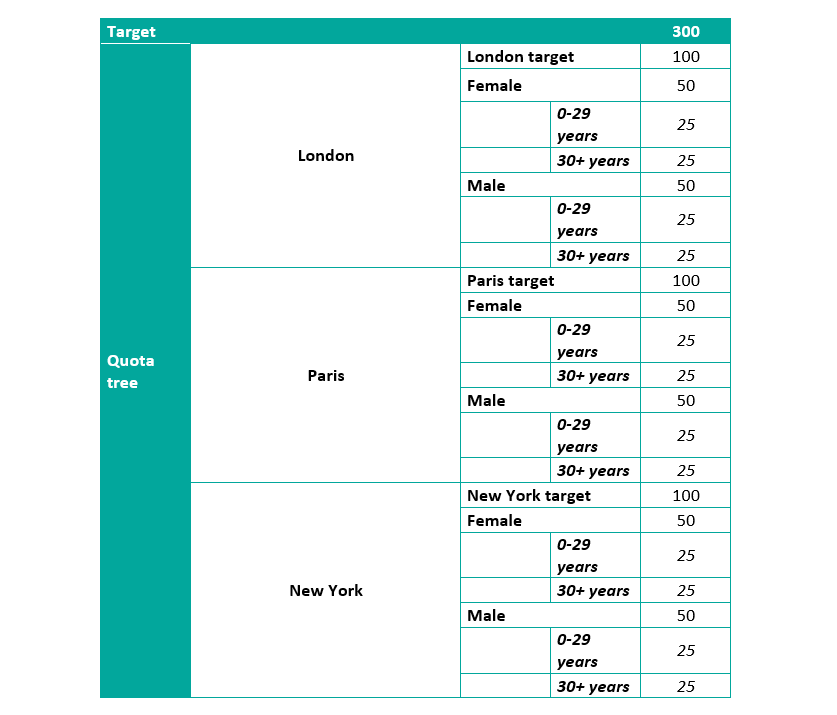
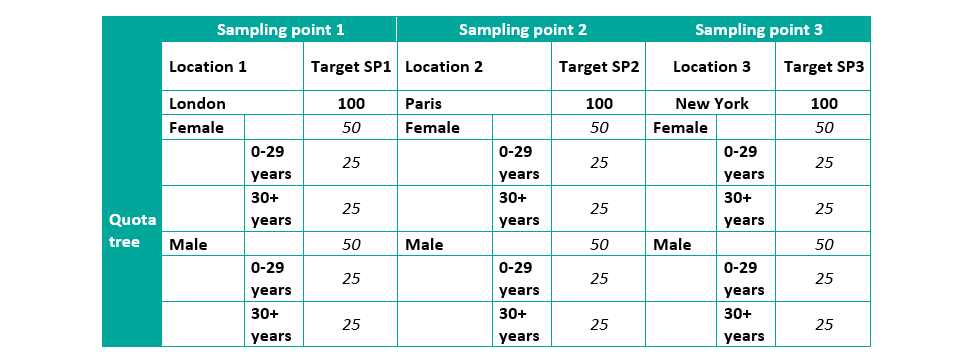
3. Surveys with sampling points and quota
Geographical locations with the targets as the sampling points (Amsterdam East, Amsterdam West, Amsterdam South) need to be uploaded first, and then a quota frame with sample characteristics (female, male) should be set up. The fieldwork should be controlled through sampling points, not the total target. The sum of the sampling points targets is your total target, but having the total in the software does not help you control the fieldwork better.
Typical situation: a complex set-up used for international or national projects when a detailed distribution is needed
Example 3.1. with sampling points and quota, less items

Example 3.2. with sampling points and quota, more items
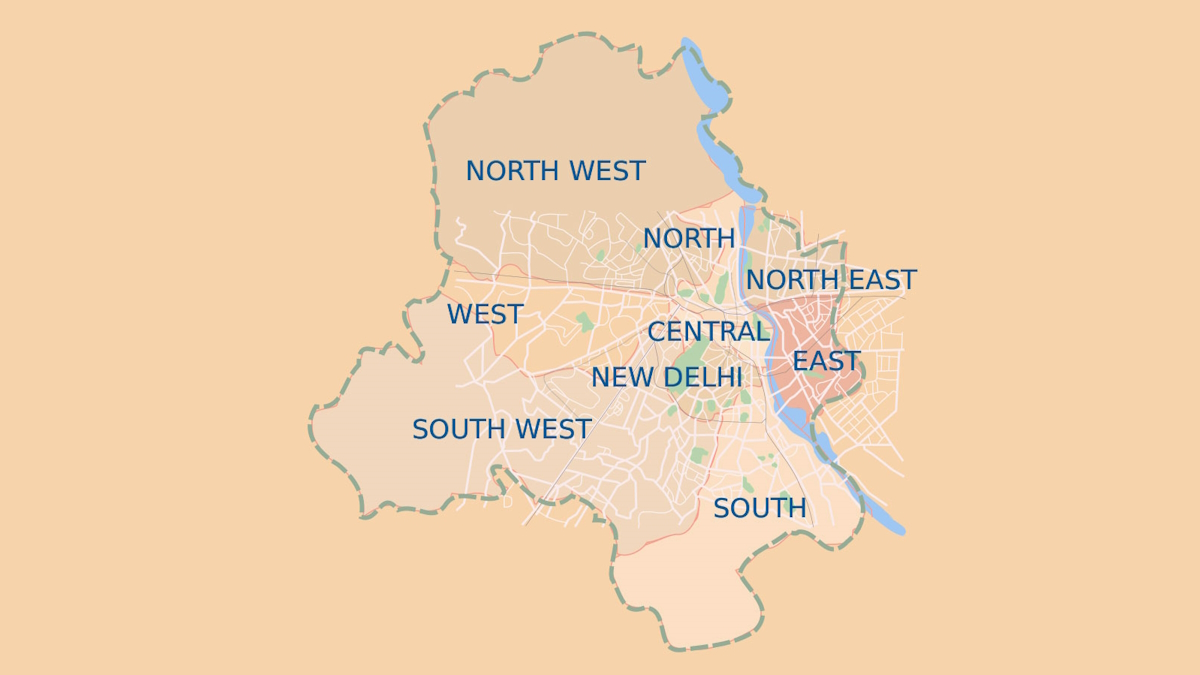
Face-to-face interviewing is a complex process comprising interviewers, mobile devices and software. A multitude of elements within this process can make a project prone to mistakes, leading to a delay in the delivery or even data loss. Outlined below are our essential tips for some of the most common problems associated with face-to-face interviewing to help you ensure a smooth execution of all CAPI projects.
The Nfield CAPI app runs on all Android tablets and smartphones, though not every device will serve you accordingly. We recommend that you run through a checklist mapping the factors that come into play when selecting the right CAPI device.
Security of your data is an absolute priority to us. Rest assured that we do our utmost to keep your data safe, however you also have a crucial role to play in data security by following a few simple rules:
… by informing your interviewers thoroughly about how to use the Nfield app.
There are two types of software updates that you need to be aware of:
Nfield CAPI app updates (NIPO)
The Nfield CAPI app is managed by NIPO, and any updates are designed solely to augment the features of the app. Every release automatically updates the backend of Nfield CAPI but requires the manual intervention of the interviewer to take effect on the device.
 IMPORTANT
Please ensure your interviewers allow automatic updates of the Nfield CAPI app so that they are working with the latest version which supports data security and provides the most-up-to-date features to them. To allow automatic updates, ask your interviewers to open the Play Store app and set the Nfield CAPI app setting to “Allow automatic updating.” Our Support Team will always send you detailed information via email about any app updates the day before the new version is released, so please do look out for these.
Android operating system updates (Google)
All Android operating system updates are managed by a third party – Google. These updates impact the software that the whole device runs on; they are not primarily calibrated to Nfield CAPI functionality.
The Android operating system update usually starts by a window which automatically opens on the screen asking for permission to update the operating system. The interviewer will need to consent to this before any updates can take place. In other words, the update doesn’t happen automatically.
Whilst we thoroughly test all major updates of the Android operating system to examine whether Nfield CAPI features have not been affected, due to the diversity of mobile devices available and the number of versions of the Android operating being used at any one time, it makes in-depth testing on a large scale impossible.
IMPORTANT
Only update the operating system on a few devices first to ensure everything still works as it should before you push out an extensive update across all of your devices. Inform your interviewers that they shouldn’t update the device without your consent to prevent unwelcome disruptions of the fieldwork. By acquiring the aforementioned Mobil Device Management (MDM) service, you can even manage and schedule software updates for all devices yourself. And most importantly, our Support Team is always on hand to help you.
Experienced researchers and fieldwork executives dive into Nfield CAPI without any hurdles. The same applies to scripters who are already familiar with the ODIN language. For those users who require full scale onboarding, we offer introductory and tailored training.

Quality control is a process when fieldwork executives look into various source files to evaluate whether the interviews have been conducted with honesty and accuracy. It is in the researchers’ best interests to ensure that the data delivered to customers comply with the highest quality standards.
In Nfield CAPI you can use location tracking and silent recording with ease to verify data and the credibility of your interviewers.
Silent recording enables you to record either the whole interview or parts of it without the interviewer’s knowledge. It is set up via scripting by inserting a simple command.
Location tracking means collecting unbiased information about the locations where your interviews have been conducted. To allocate an interviewer, the device has to be equipped with:
In addition to the aforementioned methods, you can utilize Nfield CAPI for:
You can reject interviews that do not meet the quality standards in Nfield CAPI which will then eliminate them from the complete target counts and exclude their data from the overall survey data.
False or insincere interviews provide useless data that cannot be delivered to customers, nor do they support the researchers’ objectives. The situation can even tarnish your reputation if the wrong data is used for expensive, important analyses that influence customers’ business decisions. Whilst the majority of interviewers respect their job and the nature of their work, there will always be a small percentage who will try and find shortcuts.
A lack of quality control usually results in more cases of false interviews. Pen and Paper researchers struggle with quality the most. Based on our experience, a few dishonest interviewers are revealed at the start when switching from Pen and Paper to CAPI, and as soon as the interviewers realize that the quality of their work is being thoroughly checked, the number of unfortunate incidents decline. Further features of the quality control system then prevents a come-back of dishonest practices.

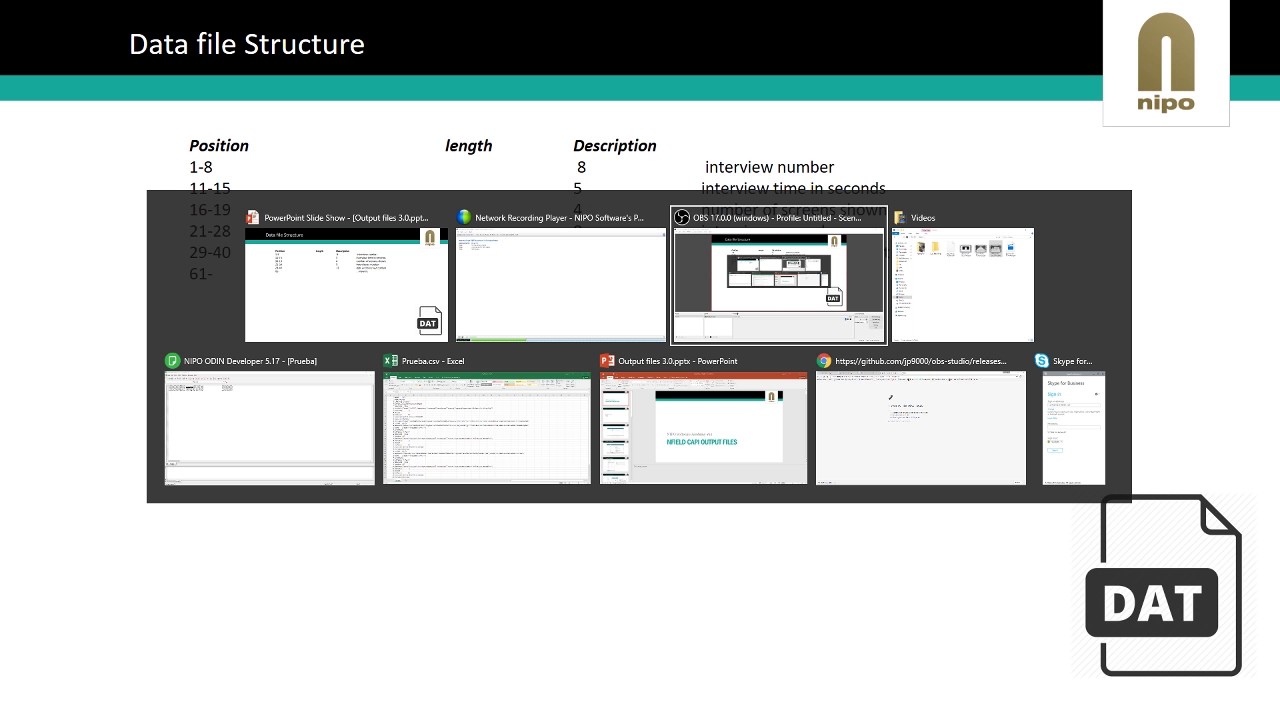
In this Academy session we explain the files Nfield uses and generates, along with all the possibilities. We elaborate on the relation of the U-file and O-file with the script. More details are shared about the paradata, all the information in there and how that could be used. Finally, we will discuss the media files.
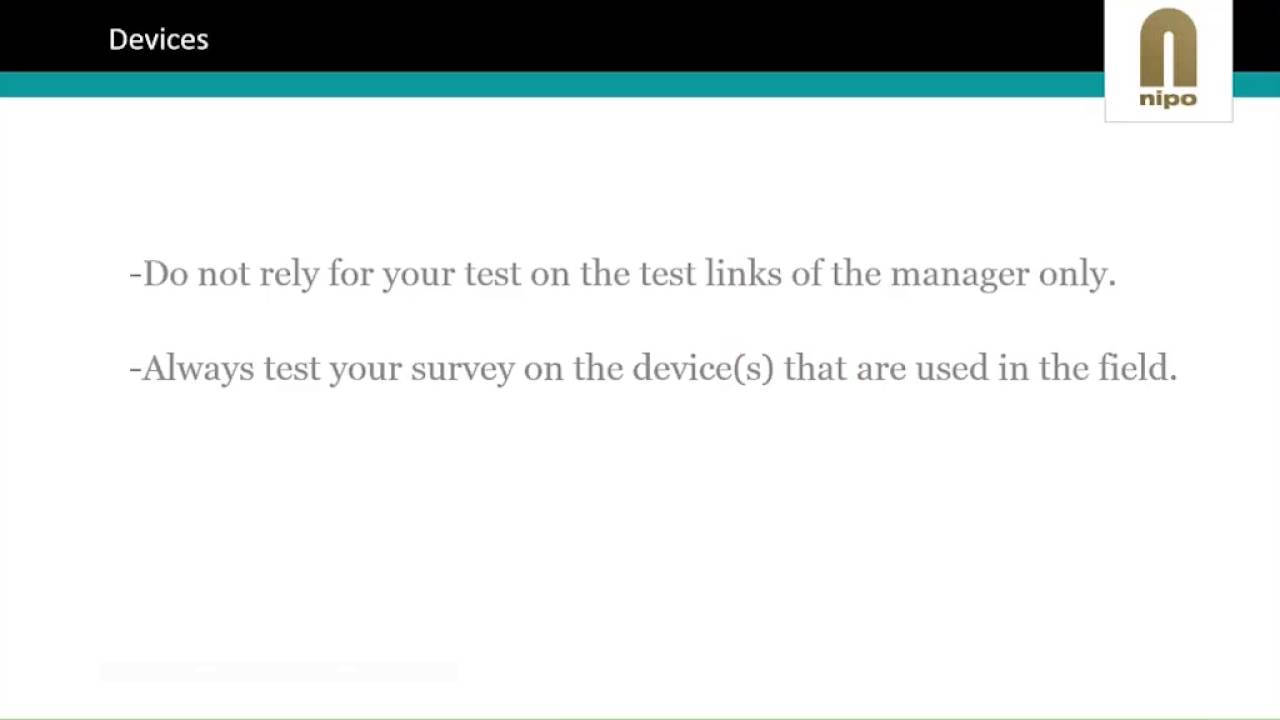
Performance of the Nfield CAPI app (most often shown by speed of screen refresh) is critical. We share some guidelines on what to do and what to avoid when creating an Nfield CAPI ODIN script.
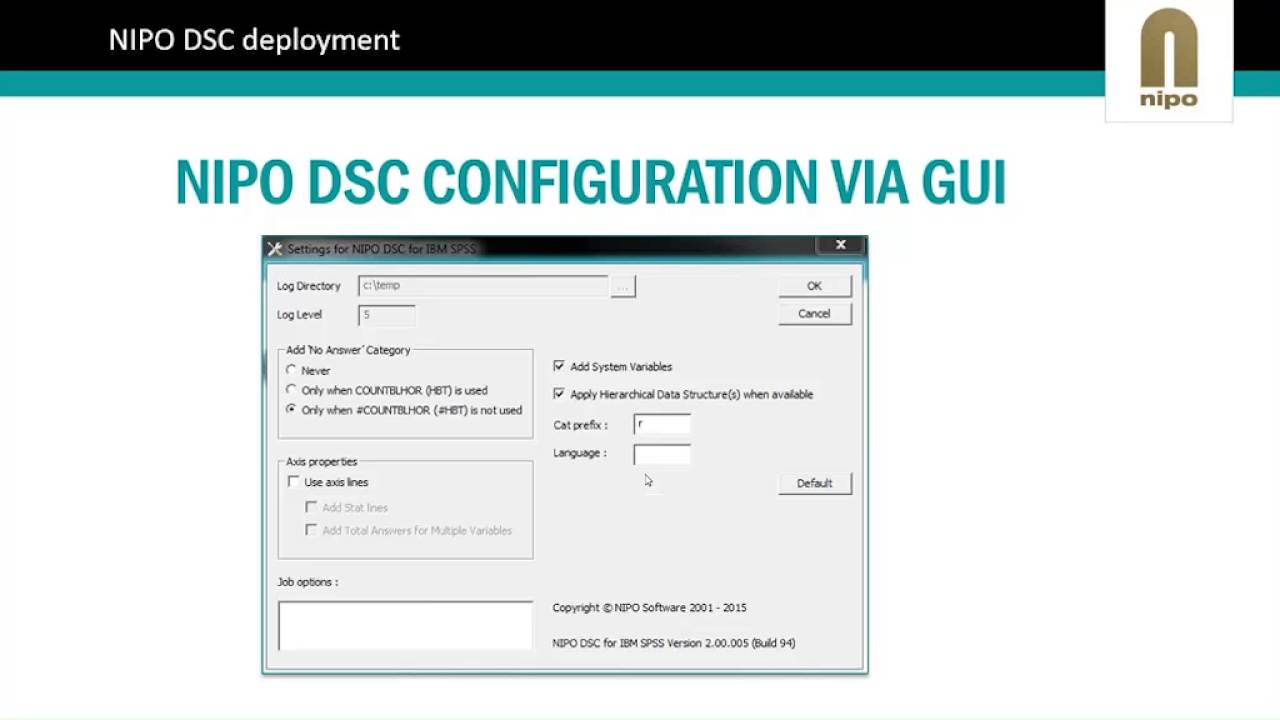
A webinar about working with the NIPO DSC for IBM SPSS. With the NIPO DSC you can open NIPO Software data directly in SPSS. There is no need to convert the data. With the NIPO DSC you can run your data processing and analytical processes completely in IBM SPSS, even though the data is collected using NIPO Software’s technology.
Learn the basics on how to theme the NfieldChicago template.

Introduction to the ODIN syntax and new features of the NfieldChicago template.
Request a demo to see how NIPO can help you meet your requirements with our smart survey solutions.